14 min to read
Azure APIM Classic Secrets Stolen: A Hunt and Rotation Guide
Microsoft closed the hole. It did not rotate your keys. Here is how to find out what leaked and lock it down.
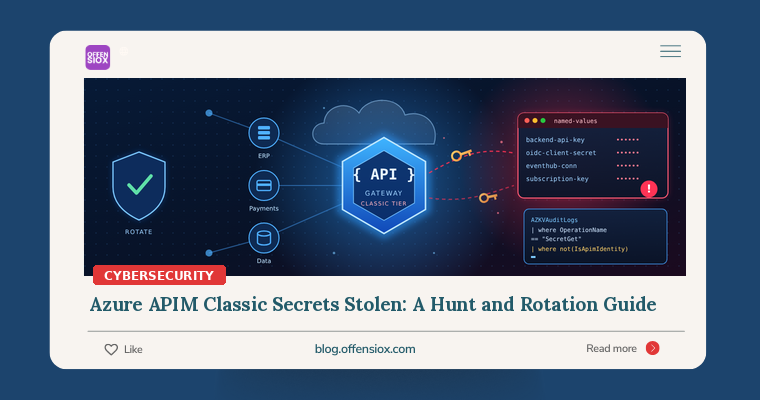
An API gateway is where an organisation keeps the keys to everything behind it. Azure API Management (APIM) sits in front of payment backends, ERP systems, partner integrations and, increasingly, AI services. To do that job it stores backend passwords, OAuth client secrets, subscription keys and connection strings, usually as named values.
Last week someone went looking for exactly those secrets. Microsoft says it identified a flaw in APIM Classic tiers on 18 November 2026 and closed the access path on 19 November. Norway’s National Security Authority (NSM) says an unknown actor was actively hunting for access tokens, secrets and named values, and has linked the activity to attacks on energy companies Equinor and Skagerak Energi. The detail that matters most for defenders is in Microsoft’s own wording: the fix “does not automatically invalidate credentials that may have been used prior to the implementation of the fix.”
Microsoft has fixed the platform, so there is no patch to install. Rotating credentials and hunting for their misuse is still your job. This guide walks through both.
TL;DR / Key takeaways
- Affected: APIM Classic Developer, Basic, Standard and Premium tiers. The Classic Consumption tier and all v2 tiers were not affected. There is no public CVE.
- Exposed, per Microsoft: secrets in named values, identity provider and OpenID Connect client secrets, subscription keys, and tokens used for the direct management API. Microsoft says exposure applied where instances were not configured to its documented best practices.
- Microsoft’s fix is server-side and complete, but it does not revoke anything. NSM’s advice is to assume your secrets and named values have leaked and rotate them all.
- Disable the legacy direct management API (
*.management.azure-api.net) on every Classic instance. It authenticates with shared access signatures rather than Entra ID, and calls to it do not appear in the Azure Activity log.- Hunt downstream, not just in APIM: new IPs using APIM-linked app registrations, Key Vault secret reads, unfamiliar subscription IDs on the gateway, and developer portal sign-ups.
Timeline
| Date (2026) | Event |
|---|---|
| 17 Nov | Equinor discloses an ongoing cyberattack. |
| 18 Nov | Microsoft identifies the APIM Classic issue. |
| 19 Nov | Microsoft blocks the unauthorised access and replaces Microsoft-managed keys and credentials where needed. |
| 21 Nov | Microsoft publishes “Rotating credentials in Azure API Management” (updated 22 Nov). |
| 21–24 Nov | NSM confirms several Norwegian organisations were targeted and that entities outside Norway are affected. BleepingComputer, The Hacker News and others report the flaw. |
Some details are still emerging. Microsoft’s customer advisory is not public, so the technical root cause, the number of affected customers and any attribution come second-hand or are not yet known. Equinor says it has seen no indication that data was stolen or altered. NSM says it is unsure how widespread the exploitation has been.
What happened (conceptually)
Microsoft describes an issue that “could allow unauthorized access to certain management functionality” on Classic instances that were not configured according to its security guidance. In practice that means read access to the configuration store that the gateway uses at runtime. For many teams that store holds credentials in plain text.
The stolen material is valuable because APIM is a broker. A named value often holds the API key for a backend, a client secret that can request tokens from Entra ID, or an Event Hubs connection string. As researcher Anders Kristiansen notes, if an attacker obtains a credential from that configuration, they may be able to use it directly against the protected service. APIM is bypassed entirely. The real blast radius is therefore everything behind your gateway, limited only by each credential’s permissions and whether it is still valid.
One configuration feature deserves special attention: the direct management API. It is a legacy REST endpoint at https://<service>.management.azure-api.net, separate from Azure Resource Manager (ARM). Microsoft deprecated it and ended support on 15 March 2025, and told customers to disable it if it was enabled. As Kristiansen points out, “unsupported” does not mean “removed”. The endpoint uses SharedAccessSignature tokens signed with the instance’s tenant access key, bypasses Entra ID and Azure RBAC, and its calls do not show up in the ARM Activity log. Microsoft lists tokens for this API among the potentially exposed items.
Am I affected?
Work through these questions in order:
- Do you run APIM Classic Developer, Basic, Standard or Premium? If you only run Consumption or v2 tiers, Microsoft says you were not affected. You should still read the hardening section.
- Do your instances hold secrets inline? Plain-text secret named values, credentials hard-coded in policies, backend headers and query parameters are all in scope. Key Vault references help but are not a guarantee. Microsoft’s documentation notes that anyone who can edit policies or enable request tracing can surface Key Vault-backed values.
- Was the direct management API enabled? If so, treat the tenant access keys and any SAS tokens as compromised, and expect a gap in your Activity log.
- Has NSM’s runtime check been done? NSM advises checking your instance’s runtime against its advisory and contacting Microsoft if an instance does not appear to be updated.
Start by inventorying instances across every subscription with Azure Resource Graph:
~|#| Requires: az extension add ~|-|~|-|name resource~|-|graph
az graph query ~|-|q "
resources
| where type ~|=|~ 'microsoft.apimanagement/service'
| project name, resourceGroup, subscriptionId, location,
          tier ~|=| tostring(sku.name),
          platformVersion ~|=| tostring(properties.platformVersion)
| order by tier asc" ~|-|~|-|first 1000 ~|-|o table
Any row whose tier is Developer, Basic, Standard or Premium is a Classic instance in scope. BasicV2, StandardV2 and PremiumV2 are the unaffected v2 tiers.
Next, check whether the direct management API is enabled on each in-scope instance. It is exposed in ARM as the tenant/access resource:
SUB~|=|~|<|subscription~|-|id>; RG~|=|~|<|resource~|-|group>; APIM~|=|~|<|service~|-|name>
az rest ~|-|~|-|method get \
  ~|-|~|-|url "https://management.azure.com/subscriptions/$SUB/resourceGroups/$RG/providers/Microsoft.ApiManagement/service/$APIM/tenant/access?api~|-|version~|=|2024~|-|05~|-|01" \
  ~|-|~|-|query "properties.enabled"
true means the legacy endpoint is live. Microsoft also links an open-source discovery script for doing this at scale (see References).
Step 1: Map what sits behind each instance
Before hunting, collect four lists. Every query below depends on them:
- APIM resource IDs for in-scope instances.
- Principal IDs of the APIM managed identities, found under Identity in the portal or with
az apim show --query identity.principalId. - Application (client) IDs of every Entra app registration whose secret lives in APIM. This includes developer portal identity providers, OAuth 2.0 and OIDC servers, and backends that use client credentials.
- The Key Vaults referenced by named values.
To list named values without printing secret contents, run az apim nv list --service-name $APIM -g $RG --query "[].{name:displayName, secret:secret, kv:keyVault.secretIdentifier}" -o table. Do not use show-secret in a shared terminal or CI log.
Step 2: Check log coverage first
A clean result only means something if the logs existed. Confirm which of these are enabled, and their retention, before you trust a negative result:
| Log source | Table | Enable via |
|---|---|---|
| Azure Activity log | AzureActivity |
Subscription diagnostic setting to Log Analytics |
| APIM gateway | ApiManagementGatewayLogs |
APIM diagnostic setting, Gateway logs |
| APIM developer portal | APIMDevPortalAuditDiagnosticLog |
APIM diagnostic setting, developer portal usage |
| Entra app sign-ins | AADServicePrincipalSignInLogs |
Entra ID diagnostic setting |
| Key Vault audit | AZKVAuditLogs or AzureDiagnostics |
Key Vault diagnostic setting, AuditEvent |
| Microsoft Graph activity | MicrosoftGraphActivityLogs |
Entra ID diagnostic setting (P1/P2) |
If gateway or Key Vault logging was off, switch it on now. You cannot recover the past, but you will catch any use of credentials you have not yet rotated.
The queries below are adapted from Anders Kristiansen’s published hunt pack, which he notes were not validated against a live APIM instance. Treat every hit as a lead to confirm with the system owner, not as proof of compromise.
Step 3: Hunt control-plane secret reads and config changes
ARM records listSecrets and listValue actions, which reveal secret values, along with writes to policies, identity providers and users. Look for callers and IPs you do not recognise around 1 to 19 November:
AzureActivity
| where TimeGenerated > ago(30d)
| where ResourceProviderValue ~|=|~ "MICROSOFT.APIMANAGEMENT"
| extend Op ~|=| tolower(OperationNameValue)
| where Op has_any ("/namedvalues/listvalue/action", "/subscriptions/listsecrets/action",
                    "/tenant/listsecrets/action", "/identityproviders/listsecrets/action",
                    "/policies/write", "/namedvalues/write", "/identityproviders/write",
                    "/users/write", "/portalsettings/write", "/tenant/access/write")
| summarize Count ~|=| count(), FirstSeen ~|=| min(TimeGenerated), LastSeen ~|=| max(TimeGenerated),
            Ops ~|=| make_set(Op, 20), IPs ~|=| make_set(CallerIpAddress, 20)
    by Caller, _ResourceId
| order by FirstSeen asc
Remember the blind spot: anything done through the direct management API will not appear here. That is why the next steps focus on where stolen credentials get used.
Step 4: Hunt new subscription keys and tracing on the gateway
An attacker holding stolen subscription keys calls your APIs like a legitimate client. Compare the last seven days against a 30-day baseline, and flag any request that asked for tracing, because tracing can expose resolved secrets:
let known ~|=| ApiManagementGatewayLogs
    | where TimeGenerated between (ago(30d) .. ago(7d))
    | where isnotempty(ApimSubscriptionId)
    | distinct _ResourceId, ApimSubscriptionId;
ApiManagementGatewayLogs
| where TimeGenerated > ago(7d)
| join kind~|=|leftanti known on _ResourceId, ApimSubscriptionId
| union (ApiManagementGatewayLogs | where TimeGenerated > ago(7d) and IsTraceRequested ~|=|~|=| true)
| summarize Requests ~|=| count(), FirstSeen ~|=| min(TimeGenerated),
            Apis ~|=| make_set(ApiId, 20), IPs ~|=| make_set(CallerIpAddress, 20),
            TraceAllowed ~|=| countif(IsTraceAllowed ~|=|~|=| true), Codes ~|=| make_set(ResponseCode, 10)
    by _ResourceId, ApimSubscriptionId
| order by FirstSeen asc
Also look for known subscription IDs suddenly arriving from new IP ranges or countries. A stolen key keeps its old ID.
Step 5: Hunt stolen app secrets in Entra sign-ins
This is often the most valuable query. Put the client IDs from Step 1 into ApimAppIds. An empty list returns nothing by design.
let ApimAppIds ~|=| dynamic(["~|<|client~|-|id~|-|1>", "~|<|client~|-|id~|-|2>"]);
let known ~|=| AADServicePrincipalSignInLogs
    | where TimeGenerated between (ago(30d) .. ago(7d))
    | where AppId in (ApimAppIds)
    | distinct AppId, IPAddress;
AADServicePrincipalSignInLogs
| where TimeGenerated > ago(7d)
| where AppId in (ApimAppIds)
| join kind~|=|leftanti known on AppId, IPAddress
| summarize Attempts ~|=| count(), Successes ~|=| countif(ResultType ~|=|~|=| "0"),
            Resources ~|=| make_set(ResourceDisplayName, 20), FirstSeen ~|=| min(TimeGenerated)
    by AppId, ServicePrincipalName, IPAddress, Location
| order by Successes desc
APIM itself does not normally sign in from residential IPs, VPS providers or foreign hosting ranges. If an APIM-linked app succeeds from one of those, pivot into MicrosoftGraphActivityLogs for that AppId to see what it touched.
Step 6: Hunt Key Vault reads
If named values reference Key Vault, secret reads should come almost entirely from the APIM managed identity. Anything else, or bulk SecretList activity, deserves a look:
let ApimIdentities ~|=| dynamic(["~|<|apim~|-|mi~|-|principal~|-|id>"]);
AZKVAuditLogs
| where TimeGenerated > ago(30d)
| where OperationName in ("SecretGet", "SecretList", "SecretListVersions")
| extend CallerOid ~|=| tolower(tostring(Identity.claim.oid)), CallerAppId ~|=| tostring(Identity.claim.appid)
| summarize Requests ~|=| count(), Allowed ~|=| countif(HttpStatusCode between (200 .. 299)),
            Denied ~|=| countif(HttpStatusCode ~|=|~|=| 403), FirstSeen ~|=| min(TimeGenerated)
    by bin(TimeGenerated, 15m), _ResourceId, OperationName, CallerIpAddress, CallerOid, CallerAppId
| extend IsApimIdentity ~|=| CallerOid in~ (ApimIdentities)
| where not(IsApimIdentity)
| order by Requests desc
If your vaults log to AzureDiagnostics rather than resource-specific tables, run AzureDiagnostics | where ResourceProvider =~ "MICROSOFT.KEYVAULT" | getschema first and map the column names.
Finally, review APIMDevPortalAuditDiagnosticLog for POST/PUT requests to sign-up and user paths. Unexpected new portal accounts can turn into fresh, legitimate-looking subscriptions.
Step 7: Rotate in the right order
Microsoft’s guide gives a safe sequence for every credential type: create the new credential at the issuer, update APIM, test, then revoke the old one. The guide stresses that “updating the value in API Management doesn’t revoke the old credential at its issuer”. If you only change the value in APIM, the stolen copy keeps working.
Disable the direct management API while you are there (test in non-production first):
az rest ~|-|~|-|method patch \
  ~|-|~|-|url "https://management.azure.com/subscriptions/$SUB/resourceGroups/$RG/providers/Microsoft.ApiManagement/service/$APIM/tenant/access?api~|-|version~|=|2024~|-|05~|-|01" \
  ~|-|~|-|headers "If~|-|Match~|=|*" \
  ~|-|~|-|body '{"properties":{"enabled":false}}'
Prioritised checklist
Immediate (today)
- Inventory every APIM instance and flag Classic Developer, Basic, Standard and Premium tiers.
- Disable the direct management API on all of them, then regenerate the tenant access keys.
- Rotate high-value credentials first, at the issuer: Entra client secrets, OAuth/OIDC and developer portal identity provider secrets, and backend credentials for payment, ERP and customer-data systems.
- Turn on gateway, Key Vault and Entra sign-in logging wherever it is missing.
This week
- Rotate every subscription key (secondary, then primary, then secondary) and every Event Hubs logger connection string.
- Run the Step 3–6 hunts across at least 1–24 November, and escalate any unexplained hits as an incident.
- Remove credentials hard-coded in policies and move them to Key Vault-backed named values.
- Review who can edit policies or enable tracing, and remove unused APIM users. Disable developer portal sign-up, or require approval, if you do not need open registration.
- Confirm runtime status against NSM’s advisory and open a Microsoft support case if anything looks out of date.
Longer term
- Replace secrets with managed identities wherever the backend supports Entra authentication.
- Plan a move from Classic to v2 tiers where your feature needs allow it.
- Scope every credential stored in APIM to least privilege, and add expiry and automated rotation.
- Add Defender for Cloud’s API recommendations and the hunts above to your regular detection content.
OffensioX perspective
This incident follows directly from last week’s Entra Connect Health data leak, and the pattern is hard to ignore. Attackers are going after the control planes of cloud services: the management layers that hold configuration and credentials for many downstream systems. A single read of an API gateway’s settings can be worth more than a dozen phished mailboxes, because it yields machine credentials that skip MFA and rarely raise alerts. “The provider fixed it” is only half the response. The provider can close its own hole, but it cannot rotate your secrets or tell you who has already used them. For teams in Pakistan and the wider region running fintech, e-commerce and integration platforms on Azure, the lesson is the same: anything stored in a gateway should be short-lived, least-privileged and backed by managed identity. Legacy management endpoints should simply be switched off.
If you would like an independent check of your Azure API estate, OffensioX offers cloud security assessments and penetration testing covering APIM configuration, secrets exposure and API attack paths.
References
- Microsoft Community Hub: Rotating credentials in Azure API Management
- Microsoft Learn: Direct management API retirement (March 2025)
- Microsoft Learn: Tenant Access - Update (REST API)
- Open-source tool to discover direct management API status
- The Hacker News: Microsoft Fixes Azure API Management Classic Flaw as Actor Targets Customer Secrets
- BleepingComputer: Microsoft Azure flaw exploited to steal customers’ API credentials
- Techzine: Microsoft patches actively exploited vulnerability in Azure API Management
- Anders Kristiansen: Azure API Management advisory: what to check and how to hunt after recent attacks