13 min to read
LiteLLM 1.107.0 Compromise: What Happened and What to Do Now
A poisoned AI gateway release turned pip install into a credential heist
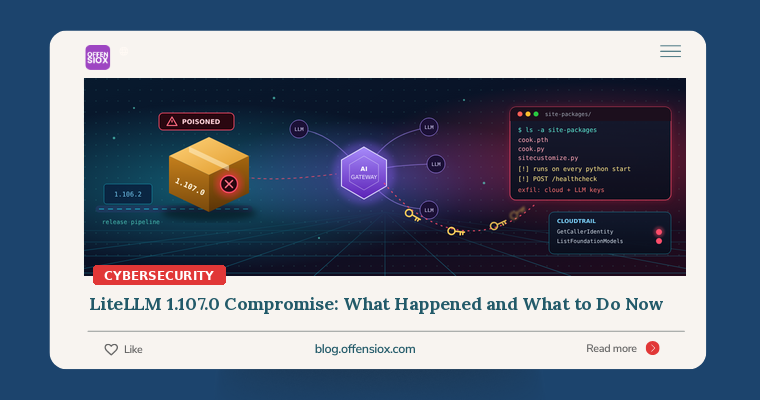
For about two hours on Wednesday, 21 October 2026, anyone who ran pip install litellm without a version pin, or pulled the latest LiteLLM Docker image, may have handed over their cloud keys, AI provider API keys, SSH keys and CI/CD secrets. LiteLLM is the open-source gateway that many teams put in front of OpenAI, Anthropic, Bedrock and other model providers. That makes it a high-value target: one compromised gateway can expose the keys for every provider behind it.
This is the second time in 2026 that LiteLLM releases have been poisoned. The attacker did not touch the project’s source code, which is exactly why this incident deserves a careful read.
TL;DR / Key takeaways
- What: Malicious
litellm==1.107.0was published to PyPI (seven wheels) and to Docker Hub/GHCR under thev1.107.0,latest,main-latestandmain-stabletags on 21 October 2026. It installs a credential stealer and a remote code loader.- Who is affected: Anyone who installed 1.107.0 or ran those image tags during the exposure windows (roughly 11:39–14:20 UTC). Version 1.106.2 and earlier are clean. The private enterprise release was not affected.
- Why it’s nasty: The payload runs at every Python start-up through
.pthandsitecustomize.pyfiles, even if LiteLLM is never imported, and even when you runpipto investigate.- What to do: Isolate first, don’t run Python on the host, rebuild from clean artifacts, and assume exfiltration succeeded if the host had outbound internet. Rotate everything it could reach.
- Root cause: A master key leaked in a public repo in May and was never revoked. It led to a GitHub organization owner’s token, and from there to the release pipeline.
Timeline
All times are UTC and come from LiteLLM’s incident reports, which the project says were written while the investigation was still going on.
| When | What happened |
|---|---|
| 24 Mar 2026 | Earlier, separate incident: TeamPCP publishes malicious LiteLLM 1.82.7 and 1.82.8 to PyPI using a stolen PyPI token. |
| 27 May 2026 | A config file holding the master key for a LiteLLM Agent Platform deployment is committed to a public repo. The commit is force-pushed over, but the key is never revoked. |
| 10 Oct 2026, 21:27 | The attacker uses that master key against the Agent Platform API, and a response returns a GitHub organization owner’s GitHub CLI OAuth token. |
| 21 Oct, 10:08 | Branch protection blocks an unauthorized change to the release workflow. Seconds later, a privileged developer credential overrides the protection. |
| 21 Oct, 10:46 | The modified workflow builds from a lookalike repository, Berri-AI/litellm (the real one is BerriAI/litellm). |
| 21 Oct, 11:11 | A second developer’s credential approves the production release gate. |
| 21 Oct, 11:39–11:40 | Seven malicious litellm==1.107.0 wheels are uploaded to PyPI. |
| 21 Oct, 11:46 | Poisoned container images are published to Docker Hub and GHCR. |
| 21 Oct, 11:53 | A third developer account deletes workflow run records, which limits the logs available afterwards. |
| 21 Oct, 11:55 | Chainguard’s scanner flags the release, 16 minutes after upload. |
| 21 Oct, by 13:23 | PyPI removes 1.107.0. GHCR tags are unavailable by 13:51, and Docker Hub tags are repointed by 14:20. |
| 21 Oct, ~16:20 | Wiz sees the attacker testing stolen AWS instance-role credentials and listing Bedrock models. |
| 23 Oct | LiteLLM publishes a corrected attack-chain write-up, which replaces its earlier theory that the tokens came from logs. |
Wiz cites ClickPy data showing about 49,000 downloads of the malicious version during its short life on PyPI. For scale, BleepingComputer reports that LiteLLM gets around 92 million PyPI downloads a month.
How the attack worked
The pipeline, not the code
The attacker did not slip anything into LiteLLM’s GitHub source. They took over the release process:
- A leaked secret that was never revoked. A master key leaked publicly in May. Force-pushing over the commit hid it from casual view, but the key itself stayed valid.
- Token pivot. The master key let the attacker query an internal platform API that returned a GitHub organization owner’s CLI token. With owner-level access, they used CI workflows to collect other maintainers’ tokens and secrets.
- Bypassing guardrails. Branch protection did block the first attempt. The attacker then used an owner token to disable it, and a second stolen identity to approve the release. Two-person approval only helps if those two people’s credentials can’t both be stolen.
- Signed, official-looking artifacts. The workflow built from the lookalike fork, so the published wheels and images came out of LiteLLM’s real pipeline. LiteLLM had hardened that pipeline after the March incident (trusted publishing, immutable tags, signed images), but the provenance checks still came back green.
Chainguard noted a telling detail: the sdist’s pyproject.toml contained an extra data = "cook" line that the Git tag did not have. If you only review source code or tags, you would never see the payload. It lived only in the prebuilt artifacts.
Execution at Python start-up
Each malicious wheel dropped three files into the root of site-packages:
cook.pth. Python processes.pthfiles every time the interpreter starts. This one importscook.cook.py. It deobfuscates itself, runs the stealer, and writes a run-once marker in/tmp.sitecustomize.py. Python imports this automatically at start-up. On Linux and macOS it starts a detached loader daemon that checks a GitHub “dead drop” about every hour and runs whatever code it is served.
Wiz describes this pairing of .pth and sitecustomize.py as apparently the first documented case in the wild. The practical result is that any Python process in that environment runs the malware, including pip show litellm or pip uninstall litellm. According to Chainguard, the loader fails on Windows but the stealer still runs there.
What it steals
The stealer, which calls itself privcollect, has 16 modules. According to Wiz and BleepingComputer, it targets:
- AWS, Google Cloud and Azure credentials, including instance metadata
- AI provider API keys (OpenAI, Anthropic, Cohere and others). It also queries the LiteLLM proxy’s PostgreSQL database for the upstream provider keys stored there.
- SSH and GPG keys, shell history, environment variables, and Kubernetes and Vault tokens
- CI/CD secrets and AI coding-tool configs
- Browser credentials and cookies
The data is encrypted with AES-256-CBC, the AES key is wrapped with RSA-4096, and the bundle is sent by HTTP POST to the lookalike domain www.litellm[.]dev/healthcheck.
What attackers did with it
About 4.5 hours after exfiltration, Wiz saw the attacker validate stolen AWS instance-role credentials taken from CI runners and Kubernetes nodes. The calls were sts:GetCallerIdentity followed by bedrock:ListFoundationModels, a pattern consistent with LLMjacking, where stolen cloud accounts are used to run expensive AI models at the victim’s expense. In some environments the attacker also enumerated IAM.
Am I affected?
You are potentially affected if any of the following is true:
- A
pip install/uv pip install/poetryresolution pulledlitellmwithout a pin between 11:39 and 13:23 UTC on 21 Oct, or any lockfile now contains1.107.0. - You pulled or restarted containers from
ghcr.io/berriai/litellm,litellm-database,litellm-non_rootordocker.io/litellm/litellmon the tagsv1.107.0,latest,main-latestormain-stablebetween 11:46 and 14:20 UTC (GHCR until 13:51). - Any container ran the image index digest
sha256:1bbcb1443bc962e45f5aad53fe3d2c30600e0379715fb6c664cdd3ac126c339e. - Something upstream of you pulled it for you: a base image, a CI job, an agent framework or a notebook environment that depends on LiteLLM.
You are not affected if you were pinned to 1.106.2 or earlier, if you pinned images by a known-good digest, or if you use the private enterprise release. Chainguard also lists 1.107.0rc1 and rc2 as clean.
Detection and hunting
Important: do not start an investigation by running python or pip on a suspect host, because doing so runs the payload. Inspect the files from outside the environment, or with plain shell tools.
Host and container file checks
~|#| Find the start~|-|up hook files and the malicious dist~|-|info, without starting Python
find / ~|-|xdev \( ~|-|name 'cook.pth' ~|-|o ~|-|name 'cook.py' ~|-|o ~|-|name 'litellm~|-|1.107.0.dist~|-|info' \
  ~|-|o ~|-|path '*site~|-|packages/sitecustomize.py' \) 2>/dev/null

~|#| Run~|-|once marker (present ~|=| exfil likely ran) and loader lock file
ls ~|-|la /tmp/.pc_once_72129118c59f5636c0bb /tmp/remote_code_loader.lock 2>/dev/null

~|#| Lockfiles and requirements that resolved to the bad version
grep ~|-|RnE 'litellm[^0~|-|9]*1\.107\.0' ~|-|~|-|include~|=|'*.txt' ~|-|~|-|include~|=|'*.lock' \
  ~|-|~|-|include~|=|'*.toml' ~|-|~|-|include~|=|'*.cfg' . 2>/dev/null

~|#| A running loader daemon or the stealer's environment flag
ps aux | grep ~|-|E 'remote_code_loader|cook' | grep ~|-|v grep
grep ~|-|l 'PRIVCOLLECT_ACTIVE~|=|1' /proc/*/environ 2>/dev/null
LiteLLM and Chainguard both stress that not finding these artifacts does not mean a host is clean. Ephemeral containers and /tmp clean-up can erase the evidence.
Network: DNS and proxy logs
Search for any resolution of, or connection to, litellm.dev or www.litellm.dev. The legitimate project domain is litellm.ai. A Splunk example:
index~|=|dns OR index~|=|proxy (query~|=|"*litellm.dev" OR url~|=|"*litellm.dev*")
| stats earliest(_time) AS first_seen latest(_time) AS last_seen count BY src_ip, query, url
AWS CloudTrail
Look for stolen-credential validation and Bedrock enumeration, especially from the two attacker IPs Wiz reported (168.100.8.57, 165.227.201.8) or from anywhere outside your own infrastructure. A CloudTrail Lake / Athena-style example:
SELECT eventTime, eventName, sourceIPAddress, userIdentity.arn, userAgent
FROM cloudtrail_events
WHERE eventTime > '2026~|-|10~|-|21 11:00:00'
  AND eventName IN ('GetCallerIdentity', 'ListFoundationModels',
                    'ListInferenceProfiles', 'InvokeModel', 'ListUsers', 'ListRoles')
  AND (sourceIPAddress IN ('168.100.8.57', '165.227.201.8')
       OR userIdentity.arn LIKE '%assumed~|-|role%')
ORDER BY eventTime;
Treat role-session credentials being used from IPs outside your VPCs or NAT gateways as a strong signal. Also check your AI provider dashboards (OpenAI, Anthropic, Bedrock and others) for usage spikes or unfamiliar source IPs.
Response checklist
Immediately (today)
- Isolate affected hosts, pods and CI runners from the network. Block egress to
litellm[.]devat DNS and the firewall. - Don’t “fix” with pip. If you must clean in place, delete
cook.pth,cook.py,sitecustomize.pyand the matching__pycache__.pycfiles from everysite-packagesdirectory first, then kill the process holding/tmp/remote_code_loader.lock. - Rebuild rather than clean. LiteLLM advises that rebuilding images and virtual environments from scratch is better. Redeploy from verified artifacts pinned to
litellm==1.106.2, with images pinned by digest. - Rotate secrets from a clean machine. This includes cloud IAM keys and role sessions, every upstream provider key stored in the LiteLLM proxy database, LiteLLM master and virtual keys, the
DATABASE_URLpassword, any secret in any process environment on the host, and GitHub, CI/CD, SSH, GPG and registry tokens.
This week
- Hunt CloudTrail and your provider dashboards using the queries above, going back to 21 October.
- Inventory every place LiteLLM runs, including transitive installs inside agent frameworks, notebooks and internal tools.
- Turn on budget alerts and quotas for AI provider accounts and Bedrock, so that LLMjacking shows up as a cost spike instead of a surprise invoice.
Longer term
- Pin and verify. Use lockfiles with hashes (
pip install --require-hashes,uvlockfiles) and pin container images by digest, not floating tags. - Adopt a release cooldown. Chainguard recommends holding brand-new releases for a few days. This one was flagged within minutes, but only people who waited benefited.
- Restrict egress from build systems and AI gateways to the endpoints they actually need.
- Revoke, don’t just delete. A leaked secret stays dangerous until it is rotated. Run secret scanning across your public and private repos, including history.
- Harden your own pipeline. Use short-lived, narrowly scoped tokens. Keep org-owner accounts separate from day-to-day developer machines. Alert on branch-protection changes and deleted workflow runs.
OffensioX perspective
Two things stand out. First, AI infrastructure has become a credential vault. An AI gateway is designed to hold the keys to many model providers, and it usually runs next to cloud roles and databases. Attackers have noticed: both LiteLLM incidents this year went straight for those keys, and the follow-up activity Wiz observed was about abusing paid AI models.
Second, build provenance is not the same as trust. LiteLLM had done much of what the industry recommends after March (trusted publishing, signed images, immutable tags, approval gates), and the release still shipped malware, because the attacker controlled the identities those controls rely on. The weak point was a key leaked five months earlier that was hidden but never revoked. For most organisations the lesson isn’t to stop using open source. It is to treat every dependency update as untrusted input: pin it, delay it, contain it, and make sure a single stolen token can’t reach your production secrets. If you’d like a second pair of eyes on your CI/CD, cloud or AI-gateway setup, OffensioX offers penetration testing and security assessments built around exactly these attack paths.
References
- LiteLLM: Contained: Oct 21, 2026 LiteLLM release v1.107.0 Compromised
- LiteLLM: Oct 21, 2026 incident attack chain (canonical update, 23 Oct)
- Wiz: LiteLLM Compromised, Steals Credentials
- BleepingComputer: LiteLLM release pipeline hacked to distribute info-stealer malware
- Chainguard: LiteLLM attacked again: Malicious 1.107.0 wheels on PyPI and Docker Hub
- Rescana: LiteLLM 1.107.0 Supply-Chain Compromise: Isolate, Rebuild and Rotate Now
- BleepingComputer: Popular LiteLLM PyPI package compromised in TeamPCP supply chain attack (March 2026)
- Datadog Security Labs: LiteLLM supply chain compromise: What you need to know