13 min to read
ConnectWise Cloud Backup Breach: What Happened and What to Do Now
A stolen backup-app credential gave Storm-0940 a key to thousands of Microsoft 365 tenants
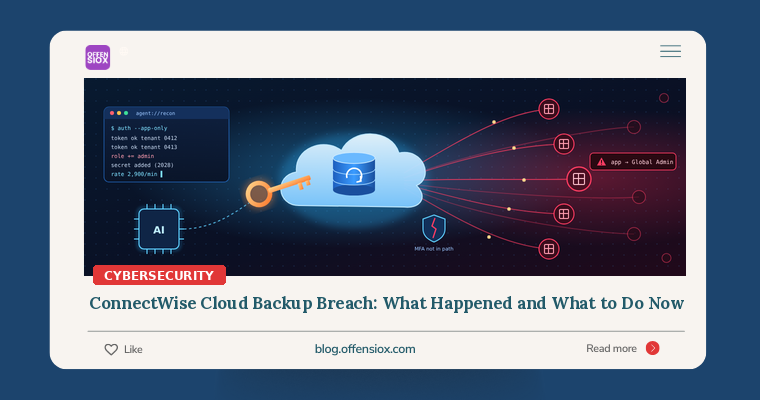
Most organisations protect Microsoft 365 with MFA, Conditional Access and a careful eye on user sign-ins. None of that mattered last week. A China-aligned group that Microsoft tracks as Storm-0940 did not log in as anyone. It logged in as the backup software, using credentials for applications that thousands of tenants had already trusted with broad access to their mail, files and directory.
The applications belonged to ConnectWise Cloud Backup (formerly SkyKick), a Microsoft 365 backup service sold largely through managed service providers (MSPs). Microsoft says the attackers used an open-source, AI-driven penetration testing framework called ARTEX to try those stolen credentials against more than 2,250 tenants. In some cases they went from first contact to privileged cloud access in under three hours.
If you, your MSP or any of your clients ever connected ConnectWise Cloud Backup, SaaS Security or Cloud Management to a Microsoft 365 tenant, this post explains what to check and what to do.
TL;DR / Key takeaways
- What: Attackers took control of identities belonging to several ConnectWise cloud applications and used them to sign in to customer Microsoft 365 / Entra ID tenants as those apps, with no user and no MFA involved.
- Who: Microsoft attributes the activity to Storm-0940, a China-state-aligned espionage group active since 2021, working with the agentic AI framework ARTEX.
- Scale: Microsoft says the group attempted sign-ins to more than 2,250 tenants. Huntress later reported attacker sign-in activity in nearly 1,000 Entra tenants it could see, with more than 300 successful.
- Why it’s dangerous: In some tenants the apps granted themselves Global Administrator or Exchange Administrator roles and added new secrets to other apps. That persistence can survive ConnectWise revoking its own credentials.
- What to do: Keep the affected apps disabled (not deleted), preserve logs, hunt from 1 October onwards for service-principal sign-ins, role changes and new credentials, and remove anything you did not create.
Timeline
Dates are from Microsoft, Huntress, ConnectWise statements as reported by BleepingComputer, Dark Reading and Cybersecurity Dive. Details are still being published, and sources differ slightly on some dates.
| When (2026) | What happened |
|---|---|
| September | Microsoft says Storm-0940 starts using ARTEX to automate attacks on hundreds of organisations. |
| 10–14 Oct | A password-spray campaign hits 327 Microsoft 365 / Exchange Online accounts at eight organisations: over 151,000 failed logons, peaking around 2,900 failures per minute on 11 Oct. Microsoft saw no successful logins. |
| 15 Oct, from 01:58 UTC | Huntress sees ConnectWise Cloud Management service principals assign themselves directory roles, mostly Exchange Administrator, in about 50 tenants it monitors. |
| 15 Oct, 03:44 UTC | In one partner tenant, the “Cloud Management - MS Teams” app adds itself to Global Administrator, then modifies two other applications. |
| 15 Oct | Microsoft observes app authentications from 144.172.64[.]128. Huntress records a second, more targeted wave against about 16 tenants in policy, national security, trade and critical minerals. |
| 16 Oct | ConnectWise discloses unauthorised access to application identities in its Cloud Backup environment. Huntress has confirmed unauthorised sign-ins in 162 tenants by 19:00 UTC. |
| 17 Oct | ConnectWise announces a service interruption and says it has disabled seven application identities. Previously issued tokens may stay valid until they expire. |
| 18 Oct | Scheduled backups, archive access and restores are unavailable. SaaS Security and Cloud Management are also taken offline as a precaution. |
| 21 Oct | Microsoft publishes its analysis attributing the attack to Storm-0940 and ARTEX, with hunting queries and detections. |
| 22–24 Oct | ConnectWise says restoration is under way in controlled phases and existing backup archives show “no indication of compromise”. Its 24 Oct advisory reportedly targets the start of phased partner onboarding for Monday 26 Oct, subject to checks. |
How the attack worked
The trust was already there
ConnectWise Cloud Backup needs wide access to a tenant to back up mailboxes, OneDrive, SharePoint and Teams. Customers grant that access once, through admin consent to a multi-tenant application. After that, the vendor’s service authenticates as the application, using its own secret or certificate, and receives tokens for each customer tenant.
According to Huntress, a client assertion credential for the Cloud Backup app was compromised and used to obtain Microsoft Graph tokens in customer tenants. As BleepingComputer points out, these are automated, app-only sign-ins. There is no user, so MFA never comes into play, and controls built around user sign-ins don’t apply. ConnectWise has not publicly explained how the attackers first gained control of the application identities.
AI at machine speed
Microsoft describes ARTEX as an open-source, multi-agent LLM framework written in Go that can work with any AI model and runs penetration tests from reconnaissance to data exfiltration with little human input. Storm-0940 used it first for the failed password spray, then for the downstream sign-ins with stolen app credentials. Microsoft’s Figure 1 shows more than 200 sign-ins in under four minutes using four application credentials.
Huntress’s working view is an AI agent running scripted tooling with occasional human intervention. Microsoft adds that several other threat actors are also using ARTEX, which is freely available.
What happened after sign-in
Most attempts failed, but Microsoft says Storm-0940 “achieved privileged cloud persistence at many organizations in a brief time”. The post-compromise activity seen by Microsoft and Huntress includes:
- Reconnaissance through Microsoft Graph. Huntress notes that Graph directory reads leave no audit record, so absence of evidence is weak evidence.
- Privilege escalation. Service principals added themselves to Exchange Administrator and, in at least one case, Global Administrator.
- Credential persistence. New client secrets, expiring in 2028, were added to other apps in the tenant, including an MSP management tool and Huntress’s own security app in one case.
- Azure Key Vault access. Microsoft saw bulk secret reads across multiple vaults, key enumeration and a key-unwrapping operation.
That third point matters most. Revoking ConnectWise’s credentials does not remove secrets the attacker planted on your other applications. ConnectWise has said this itself: access set up through separate identities still needs review and remediation.
Am I affected?
You should investigate if any of these apply:
- You use, or once used, ConnectWise Cloud Backup / SkyKick Cloud Backup, ConnectWise SaaS Security or ConnectWise Cloud Management (older tenants may show “SkyKick Cloud Manager”).
- Your MSP uses those products, even if you’ve never heard of them. Check your Enterprise applications yourself.
- Any of the application IDs below exist as service principals in your tenant, even if disabled or unused.
Huntress published these application (client) IDs. Microsoft’s blog lists the first, second and sixth. Search by app ID, not display name.
| Application | App (client) ID |
|---|---|
| ConnectWise Cloud Backup (formerly SkyKick) | 506e08f9-6e9a-4da4-942b-a099a03644ae |
| Cloud Management - MS Teams | 24205314-2b89-4e07-a2a4-579e898a5640 |
| Cloud Management - Exchange Online | b78f6a77-d4e5-46fb-87e5-d1648bd02519 |
| Cloud Management - SharePoint Online | b2b55f5b-7758-4719-8d8f-88ae172e6bdb |
| Cloud Management | 2399d300-6fca-4e6a-a686-399fefe75b83 |
| Cloud Management - MS Graph | 0de14c77-b9b0-4137-9360-34878a929827 |
| Cloud Management - Partner Center | 412dcf96-176d-4b3a-a1b0-4981ad66971e |
Published network indicators (all defanged):
- Microsoft:
144.172.64[.]128,144.172.64[.]99,144.172.64[.]60, plus transient VPN addresses187.15.88[.]186,187.15.90[.]217,187.15.89[.]186 - Huntress also lists
144.172.94[.]243for a broad failed-login spray - User agents:
Python-urllib/3.12,python-requests/2.31.0,python-requests/2.34.2,curl/7.88.1,azure-toolkit/1.0. Huntress warns these are low-fidelity on their own.
Microsoft is explicit that an app being present, or even authenticating successfully, does not prove data was accessed. Equally, a clean IP search does not prove you were untouched. Don’t limit the review to the published IPs.
Detection and hunting
Preserve first. Export Entra sign-in and audit logs, Purview audit data and Graph activity logs before you change anything. Microsoft suggests reviewing from at least 15 October and extending service-principal sign-ins back to 1 October.
Quick inventory with Microsoft Graph PowerShell
Connect~|-|MgGraph ~|-|Scopes "Application.Read.All"
$ids ~|=| @(
 "506e08f9~|-|6e9a~|-|4da4~|-|942b~|-|a099a03644ae","24205314~|-|2b89~|-|4e07~|-|a2a4~|-|579e898a5640",
 "b78f6a77~|-|d4e5~|-|46fb~|-|87e5~|-|d1648bd02519","b2b55f5b~|-|7758~|-|4719~|-|8d8f~|-|88ae172e6bdb",
 "2399d300~|-|6fca~|-|4e6a~|-|a686~|-|399fefe75b83","0de14c77~|-|b9b0~|-|4137~|-|9360~|-|34878a929827",
 "412dcf96~|-|176d~|-|4b3a~|-|a1b0~|-|4981ad66971e")
foreach ($id in $ids) {
  Get~|-|MgServicePrincipal ~|-|Filter "appId eq '$id'" |
    Select~|-|Object DisplayName, AppId, Id, AccountEnabled
}
Record each service principal’s object Id. You’ll need it for the audit hunt and the clean-up.
Service-principal sign-ins (Microsoft Sentinel)
Look at the service principal sign-ins tab or table, not user sign-ins.
let cwApps ~|=| dynamic(["506e08f9~|-|6e9a~|-|4da4~|-|942b~|-|a099a03644ae","24205314~|-|2b89~|-|4e07~|-|a2a4~|-|579e898a5640",
  "b78f6a77~|-|d4e5~|-|46fb~|-|87e5~|-|d1648bd02519","b2b55f5b~|-|7758~|-|4719~|-|8d8f~|-|88ae172e6bdb",
  "2399d300~|-|6fca~|-|4e6a~|-|a686~|-|399fefe75b83","0de14c77~|-|b9b0~|-|4137~|-|9360~|-|34878a929827",
  "412dcf96~|-|176d~|-|4b3a~|-|a1b0~|-|4981ad66971e"]);
AADServicePrincipalSignInLogs
| where TimeGenerated >~|=| datetime(2026~|-|10~|-|01)
| where AppId in (cwApps) or IPAddress startswith "144.172.64." or IPAddress ~|=|~|=| "144.172.94.243"
| summarize Attempts ~|=| count(), Successes ~|=| countif(ResultType ~|=|~|=| "0"),
            First ~|=| min(TimeGenerated), Last ~|=| max(TimeGenerated),
            Resources ~|=| make_set(ResourceDisplayName, 10)
  by AppId, ServicePrincipalName, IPAddress
| order by Successes desc
Role grants and new credentials (Entra audit logs)
These operations are the persistence the attacker relied on. Any of them started by an application, especially a backup or management app, needs an explanation.
AuditLogs
| where TimeGenerated >~|=| datetime(2026~|-|10~|-|13)
| where OperationName has_any ("Add member to role", "app role assignment", "service principal credentials",
    "Certificates and secrets", "Update application", "Add owner", "Consent to application")
| extend InitiatorApp ~|=| tostring(InitiatedBy.app.displayName),
         InitiatorUser ~|=| tostring(InitiatedBy.user.userPrincipalName),
         Target ~|=| tostring(TargetResources[0].displayName)
| where isnotempty(InitiatorApp) or Target has_any ("ConnectWise","SkyKick")
| project TimeGenerated, OperationName, Result, InitiatorApp, InitiatorUser, Target,
          Details ~|=| tostring(AdditionalDetails)
| order by TimeGenerated asc
A service principal that adds itself to a directory role or adds secrets to other apps is rare in normal operations. Treat it as a confirmed incident until proven otherwise.
Also check
- Microsoft 365 audit log: new inbox rules, mail forwarding, unusual mailbox or SharePoint access by OAuth apps, delegated permission grants.
- Azure Key Vault diagnostics: one identity reading many secrets across several vaults in a short window.
- Conditional Access exclusions: Huntress notes that location blocks don’t apply to apps you have excluded.
- Defender XDR alerts Microsoft added, for example “Application self-assigned Global Administrator role” and “Unusual Microsoft Graph activity associated with Compromised ConnectWise Application”.
Response checklist
Immediately (today)
- Disable, don’t delete, every ConnectWise/SkyKick service principal you find. Deleting removes consent and evidence.
Update-MgServicePrincipal -ServicePrincipalId <objectId> -AccountEnabled:$falsedoes the job. - Preserve logs (sign-in, audit, Purview, Graph activity, Key Vault) to storage you control. Retention is short on lower licence tiers.
- Keep the connections off until ConnectWise gives you explicit restoration instructions for your service, even if phased restoration starts this week.
- Remove unexpected privileged roles held by ConnectWise/SkyKick apps, especially Global Administrator, Exchange Administrator and Privileged Authentication Administrator.
This week
- Review every Enterprise application and App registration for client secrets or certificates added since 13 October that you didn’t create. Remove them and record what you found.
- Rotate secrets in any Key Vault that shows unusual bulk reads, and any credentials that were reachable from compromised identities.
- Check mailbox rules, forwarding and OAuth consent grants across the tenant.
- Confirm your backup position. Cloud Backup jobs are paused. Decide whether you can tolerate the gap or need an interim backup, and test a restore before reconnecting.
- MSPs: ConnectWise says it cannot see into downstream customer tenants. You have to review each client tenant yourself and tell clients clearly what you found.
Longer term
- Inventory third-party apps with high-privilege Graph permissions. Ask whether each one needs
Mail.ReadWrite,Directory.ReadWrite.Allor role-assignment rights. - Use app management policies to block or limit client secrets and cap credential lifetimes. Restrict who holds Application Administrator and Cloud Application Administrator.
- Turn on Conditional Access for workload identities and Entra ID Protection risk detections for service principals where your licensing allows.
- Alert on service-principal role assignments and credential additions. These are rare, high-signal events.
- Rehearse cutting off a vendor app with your MSP or provider: who disables it, how quickly, and how you keep backups running meanwhile.
OffensioX perspective
This incident brings together two trends that are now hard to ignore. The first is that non-human identities are the new perimeter. Backup, security and management tools hold some of the most powerful standing permissions in a Microsoft 365 tenant, and they authenticate without MFA by design. A single vendor credential can open thousands of tenants at once. ConnectWise CEO Manny Rivelo summed it up: “one trusted connection can open the door to many organizations.”
The second is speed. Storm-0940 is not a new group, and spraying passwords or abusing OAuth apps are not new techniques. What changed is that an open-source agentic framework let the group try a stolen credential across thousands of tenants and escalate privileges in minutes. Microsoft’s Igor Tsyganskiy wrote that “a wave of AI-driven cyberattacks has been ongoing” since early October. Defenders who rely on someone noticing an alert the next morning will lose that race. What helps is fewer standing privileges for third-party apps and automated alerts on the handful of events that matter, such as an app granting itself a role.
For businesses in Pakistan and the wider region, many of which outsource Microsoft 365 administration to MSPs or work as MSPs for overseas clients, the lesson is to know which vendor apps sit in your tenant and what they can do. If you would like an independent review of your Entra ID and third-party app exposure, or a penetration test that covers cloud identity paths like this one, the OffensioX team can help.
References
- Microsoft Security Blog – Storm-0940 uses ARTEX agentic AI in ConnectWise supply chain compromise (21 Oct 2026)
- Huntress – ConnectWise (SkyKick) Vendor Credentials Abused in M365 Attacks
- BleepingComputer – Hackers breach Microsoft 365 tenants via ConnectWise supply chain attack
- Dark Reading – Microsoft Links Storm-0940 to ConnectWise Supply Chain Attack
- The Register – Microsoft says ConnectWise breach let Chinese spies loose on 2,250 cloud tenants
- Cybersecurity Dive – China-nexus actor attack on ConnectWise Cloud Backup
- CyberScoop – Microsoft pins ConnectWise supply-chain attack to China-state aligned threat group
- ConnectWise – Cloud Backup Technical Investigation and Remediation Guide (PDF)
- ConnectWise Trust Center – Advisories
- WindowsForum – ConnectWise Cloud Backup restore target: October 26 phased recovery