13 min to read
Plex2Shell: Why QNAP Says Your Media Server May Already Be Compromised
Four Plex flaws chain into code execution on NAS boxes. Patching closes the door, but it does not evict anyone already inside.
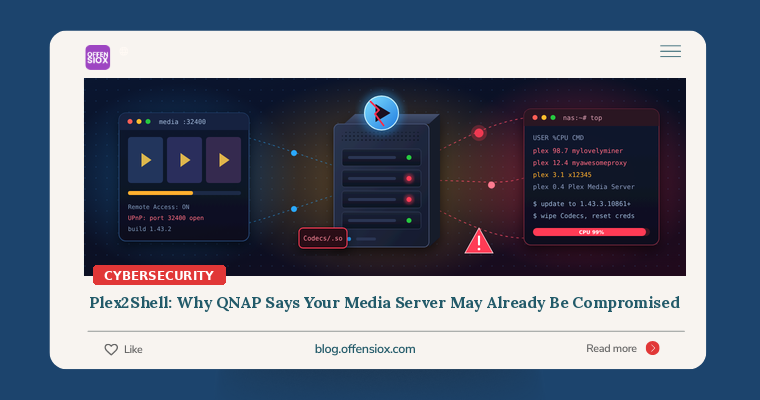
Plenty of small offices keep a NAS in the corner. It holds the file shares and the backups, and often a Plex Media Server someone installed for training videos or the break-room TV. Last week QNAP told the owners of those boxes something vendors rarely say this plainly: if Plex on your NAS was ever reachable from the internet, assume it has already been compromised.
The cause is “Plex2Shell”, a chain of four Plex Media Server vulnerabilities (CVE-2026-96652, CVE-2026-96654, CVE-2026-96655 and CVE-2026-96656). Together they let a remote attacker run code as the Plex service account. Plex fixed them in August. A public proof of concept landed on 16 October, exploitation began the next day, and CISA added all four CVEs to its Known Exploited Vulnerabilities (KEV) catalog on 20 October. On 6 November QNAP issued a security notice and remediation FAQ reporting compromised NAS devices. Synology followed on 8 November with advisory SA-26:17.
The patch has been out for three months, and devices are still being hijacked. This post covers who is exposed, how to tell whether you were hit, and how to clean up properly.
TL;DR / Key takeaways
- What: Plex2Shell chains four Plex Media Server flaws (two server-side request forgery bugs, a plugin-function injection and an arbitrary file write) into remote code execution as the Plex user. All four are in CISA KEV.
- Who: Plex Media Server before 1.43.3.10861 on any platform. QNAP and Synology NAS owners are the loudest current victims, but Windows, Linux and Docker installs are affected too. QNAP’s own QTS and QuTS hero are not vulnerable.
- Impact so far: Attackers are installing cryptominers (XMRig) and proxyware on compromised servers. The Plex account can reach the media shares mounted on the box and anything stored alongside them.
- Fix: Update to 1.43.3.10861 or later (current release: 1.43.5.11079; Synology’s fixed packages are 1.43.5.11079). Then turn off direct internet exposure on port 32400.
- Patching is not enough if the server was internet-facing on a vulnerable build. QNAP says to clean-reinstall Plex, wipe the Codecs folder, check for indicators and reset credentials.
Timeline
Sources disagree on a few dates by a day. Where they do, the range is shown.
- 27 July 2026: Researcher Zach Main reports the flaws to Plex.
- 3–4 August 2026: Plex releases Plex Media Server 1.43.3.10861, which fixes the chain.
- 16 October 2026: Full technical details and a public proof of concept are published.
- 17 October 2026: First in-the-wild exploitation. A researcher’s honeypot is hit and an XMRig miner plus a proxy tool called
myawesomeproxyare installed. - 20 October 2026: CISA adds all four CVEs to the KEV catalog.
- 26 October 2026: Plex 1.43.5.11079 goes out to all users.
- 6 November 2026: QNAP publishes its security notice and a Plex2Shell check-and-remediation FAQ, reporting widespread automated attacks against unpatched, internet-facing installs.
- 8 November 2026: Synology publishes SA-26:17 with fixed packages for DSM 7.2.1 through 7.4 (see below).
How Plex2Shell works (conceptually)
We will stay at the level a defender needs and skip anything that helps an attacker. Plex Media Server listens on TCP 32400. The chain abuses four separate weaknesses in sequence:
- CVE-2026-96652, SSRF in a player endpoint. A request-forgery flaw lets an outsider make the Plex server send requests on their behalf, including to Plex’s own internal, loopback-only APIs.
- CVE-2026-96654, plugin function injection. Through that internal access, a flaw in the search feature lets the attacker call functions belonging to other plugins. Researchers say this is used to recover the server owner’s admin token.
- CVE-2026-96655, second SSRF in the transcoder. With admin rights, the attacker makes the server download content they control.
- CVE-2026-96656, file write via a transcoder preference. A transcoder setting is abused to write a shared library (
.soon Linux,.dllon Windows) into Plex’s Codecs folder. Synology’s description of this one is blunt: Plex before 1.43.3.10861 “allows an admin user to write arbitrary files that may be executed on load.”
Plex loads the libraries in that folder when it starts, so the attacker’s code runs with the Plex service account’s permissions. Two details matter for cleanup. First, the planted library and the altered transcoder setting can survive an upgrade, which is why patching does not evict an attacker. Second, the Plex account usually has read (and often write) access to the media and data shares on the NAS.
A note on severity scores. Rated one by one, these bugs look moderate. Synology’s CVSS 3.1 scores are 4.3, 6.5, 4.3 and 7.2. NVD’s CVSS 4.0 scores are 5.3, 6.9, 5.3 and 8.6. The researcher rates the full chain at 9.8, and in practice that is the number to plan around. Vendors also differ on whether each link needs authentication. Synology scores the later steps as needing a logged-in or admin user, but the reason the chain matters is that its first steps get the attacker that access. This is a textbook case of why you should prioritise by KEV status and exposure, not by a single CVSS figure.
Real-world impact
QNAP says the affected servers “appear to have been compromised” and had cryptocurrency miners and proxy software installed. Public research from the first honeypot captures and later threat advisories describes the same pattern:
- XMRig mining Monero, which shows up as sustained high CPU when nothing is playing.
- Proxyware (
myawesomeproxy) that rents your internet connection out as a residential proxy. Your IP address then carries other people’s traffic, which may include fraud and credential-stuffing. - Process names reported by QNAP:
myawesomeproxy,mylovelyminerandx12345.
Miners and proxies are noisy, low-effort payloads, but don’t take that as reassurance. The same access could be used to read file shares, steal the credentials stored on the box, or stage ransomware. NAS devices have been a favourite ransomware target for years, as Qlocker and eCh0raix showed. Aviatrix estimates that more than 36,000 Plex servers are exposed to the internet.
Am I affected?
Answer these four questions:
- Do you run Plex Media Server anywhere? That includes a NAS (QNAP, Synology, TerraMaster, WD, Netgear), a Windows or Linux PC, a Docker container or an NVIDIA Shield.
- What version? Anything below 1.43.3.10861 is vulnerable. One advisory warns that early 1.43.3 builds such as 1.43.3.10828 are still vulnerable, so check the full build number.
- Was it ever reachable from the internet? That covers Plex “Remote Access” turned on, a router port-forward for 32400, UPnP, or myQNAPcloud’s automatic router configuration.
- When did you patch? If you were exposed and still on a vulnerable build on or after 16–17 October, treat the server as compromised until proven otherwise.
Fixed versions by platform:
| Platform | Fixed version |
|---|---|
| Plex Media Server (all platforms) | 1.43.3.10861 or later (latest: 1.43.5.11079) |
| QNAP (App Center) | 1.43.3 or later; QTS/QuTS hero not affected |
| Synology DSM 7.3 / 7.4 | 1.43.5.11079-720011079 or later |
| Synology DSM 7.2.1 / 7.2.2 | 1.43.5.11079-700011079 or later |
Synology lists no workaround: its mitigation field reads “None”. Updating is the only fix.
To check the version on a Linux or Docker host from the machine itself:
~|#| Ask the local server for its version
curl ~|-|s http://127.0.0.1:32400/identity

~|#| Or query the package manager
dpkg~|-|query ~|-|W plexmediaserver     ~|#| Debian / Ubuntu
rpm ~|-|q plexmediaserver            ~|#| RHEL / Fedora
Detection: was I hit?
Collect evidence before you change anything. Copy the Plex Logs folder, Preferences.xml (the registry key on Windows) and the Codecs folder somewhere safe. QNAP support will ask for the logs, and you will want them if this becomes a bigger investigation.
Where the Plex data folder lives:
- QNAP: the
Plex Media Serverfolder inside thePlexDatashared folder - Linux:
/var/lib/plexmediaserver/Library/Application Support/Plex Media Server/ - Docker: usually
/config/Library/Application Support/Plex Media Server/inside the container - Windows:
%LOCALAPPDATA%\Plex Media Server\, with preferences underHKCU\Software\Plex, Inc.\Plex Media Server - macOS:
~/Library/Application Support/Plex Media Server/
1. Look for unexpected libraries in Codecs. Any .so or .dll you can’t tie to a Plex update is suspicious.
PMS~|=|"/var/lib/plexmediaserver/Library/Application Support/Plex Media Server"
find "$PMS/Codecs" ~|-|type f \( ~|-|name '*.so' ~|-|o ~|-|name '*.dll' \) ~|-|printf '%TY~|-|%Tm~|-|%Td %TH:%TM  %p\n' | sort
Compare the timestamps with when you last updated Plex. Files written outside an update window, particularly after 16 October, need explaining.
2. Check the transcoder preference. Threat Defence’s hunting guide calls a TranscoderH264Options value you did not set a strong signal, and notes that values containing dump-yuv or stats= match the public exploit.
grep ~|-|o 'TranscoderH264Options~|=|"[^"]*"' "$PMS/Preferences.xml"
3. Look for the known payloads and their behaviour. QNAP’s FAQ lists these signs:
- Processes started by Plex named
myawesomeproxy,mylovelyminerorx12345 - Unfamiliar
.so/.dllfiles in Codecs - Outbound connections to
proxystream.st - High CPU with no playback
- A QNAP Malware Remover detection with code MR2104
ps ~|-|eo user,pid,ppid,pcpu,args ~|-|~|-|sort~|=|~|-|pcpu | grep ~|-|Ei 'plex|myawesomeproxy|mylovelyminer|x12345|xmrig' | grep ~|-|v grep
4. Hunt in your EDR or SIEM. Plex should never start shells or download tools. If you run Microsoft Defender for Endpoint on Windows or Linux hosts that run Plex, a starting point:
DeviceProcessEvents
| where Timestamp > datetime(2026~|-|10~|-|16)
| where InitiatingProcessFileName has_any ("Plex Media Server", "Plex Transcoder")
| where FileName in~ ("sh","bash","dash","curl","wget","cmd.exe","powershell.exe","python","python3")
   or ProcessCommandLine has_any ("myawesomeproxy","mylovelyminer","x12345","xmrig","proxystream")
| project Timestamp, DeviceName, InitiatingProcessFileName, FileName, ProcessCommandLine
And for DNS or proxy logs (Splunk-style):
index~|=|dns OR index~|=|proxy (query~|=|"*proxystream.st" OR url~|=|"*proxystream.st*")
| stats count min(_time) as first_seen max(_time) as last_seen by src_ip, query
Researchers have also published network indicators from honeypot captures. Exploit sources include 45.194.92.222, 91.92.40.202 and 176.65.139.228, with a payload server at 217.60.194.116 (per Hive Pro and Threat Defence). Use them for retro-hunting, not as your only test. They come from a small set of sensors and will go stale quickly.
What to do: a prioritised checklist
Immediately (today)
- Update Plex to 1.43.3.10861 or later everywhere. Use 1.43.5.11079 where your platform offers it. On QNAP: App Center → My Apps → Plex Media Server → Update. On Synology: Package Center.
- Cut direct exposure. Turn off Remote Access in Plex Web, remove any port-forward for 32400, disable UPnP on the router, and remove myQNAPcloud auto-router rules for Plex.
- Block
proxystream.stat DNS and the firewall, and alert on any hits. - Triage: if the server was internet-facing on a vulnerable build, preserve logs and go to “If you were exposed” below. Don’t stop at the update.
If you were exposed (QNAP’s recommended order)
- Clean-reinstall Plex. Copy the Logs folder, remove Plex in App Center, delete everything in
Codecs, remove transcoder options you did not set fromPreferences.xml, and reinstall a fixed version. Do not restore the old Codecs contents. BleepingComputer’s summary of QNAP’s guidance also mentions reinstalling the NAS OS itself, which is the safer choice if you see signs of anything beyond Plex. - Check for indicators with the steps above and run a Malware Remover scan.
- Reset credentials, in this order: sign out of all devices in your Plex account, then change the Plex password. After that, change the NAS admin and user passwords, enable two-step verification, and rotate the keys for backup jobs and cloud connections configured on the box.
This week
- Inventory every Plex install, including the ones on staff home-office NAS devices that connect to company VPNs.
- Check firewall or NetFlow logs for unusual outbound traffic from NAS IPs since mid-October.
- Turn on QuFirewall and scheduled Malware Remover scans (QNAP), or the equivalent on your platform.
- If you need remote access to media, use a VPN (for example QVPN or WireGuard) and stop publishing 32400.
Longer term
- Separate media from business data. Don’t run consumer media apps on the NAS that holds your file shares and backups. If you must, give the app’s account read-only access to a single media share.
- Put NAS devices in their own VLAN and block outbound internet except for updates.
- Keep offline or immutable backups. A compromised NAS cannot be its own backup.
- Add CISA KEV to your patch-priority feed so that a “medium” CVE with active exploitation does not sit for weeks.
OffensioX perspective
Plex2Shell shows three trends we see in almost every assessment. First, chaining beats severity. No single bug here scores “critical”, yet together they hand over a server. Teams that patch only CVSS 9+ will miss them. Second, the gap between patch and exploitation has shrunk to hours, while the gap between patch and adoption is still months. The fix shipped in August, the PoC appeared in October, attacks started the next day, and QNAP was still warning customers in November. Third, “home” software keeps ending up in business networks. A media server added for convenience became a way onto the device holding a company’s files and backups. For businesses in Pakistan and the wider region, where a single NAS often serves as file server, backup target and media box, that convergence is common, and port-forwarding through ISP routers via UPnP is often left at its defaults.
If you want an outside view of what your network is actually exposing, OffensioX offers external attack-surface reviews, penetration testing and security assessments that cover NAS devices, edge appliances and the “temporary” services everyone forgets about.
References
- QNAP Security Notice: Plex Media Server vulnerabilities (Plex2Shell), update to 1.43.3.10861 or later immediately
- QNAP Community: Plex2Shell check and remediation FAQ for QNAP NAS users
- Synology-SA-26:17 Plex Media Server
- BleepingComputer: QNAP says hackers breaching NAS devices in Plex2Shell attacks
- Hive Pro: Plex2Shell exploit chain actively exploited to hijack Plex Media Servers
- Threat Defence: Plex2Shell CVE-2026-96652 detection, hunting and patching
- Aviatrix: CISA warns hackers chain Plex flaws in Plex2Shell attacks
- Shattered: Plex2Shell exploit, 4 CVEs hit live Plex servers
- SecurityOnline: QNAP warns NAS users as exploited Plex2Shell vulnerabilities hit Plex Media Server
- The Back Room Tech: QNAP urges users to patch Plex2Shell vulnerability
- CISA Known Exploited Vulnerabilities Catalog