12 min to read
Poisoned Trackers: What APT29's Plerdy Hijack Means for Your Business
For one week, a trusted SEO script turned hundreds of websites into traps for their own visitors. Here is how to make sure yours is not next.
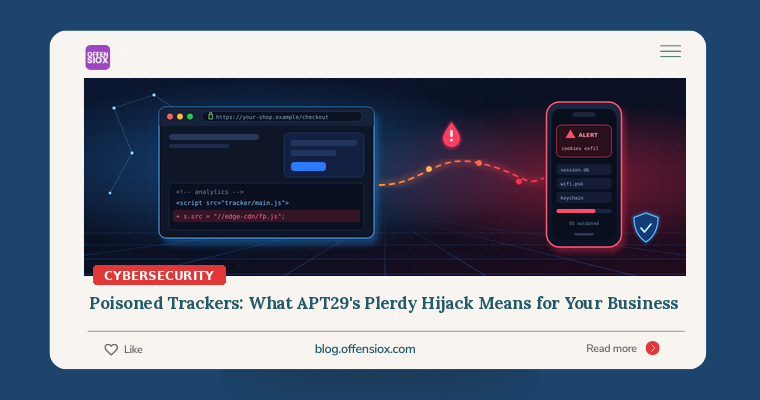
Most business websites run code they did not write and never review. An analytics tag, a chat widget, a heatmap tool, an ad pixel: each one is a line of JavaScript pasted into the site template, loaded from someone else’s server, every time a visitor opens a page. You trust that vendor completely, usually without realising it.
This week we learned what happens when that trust is abused by a state-backed attacker. On 4 November 2026, French security company Sekoia published research on a campaign it calls “Poisoned Source”. One of the attacker’s three methods was to compromise the Plerdy SEO Tracker, a marketing script loaded by thousands of websites. For about a week, every site using it quietly served the attacker’s code to its own visitors, and unpatched phones among those visitors could be hacked just by opening the page. Sekoia attributes the campaign, with moderate to high confidence, to APT29 (also called Midnight Blizzard or Cozy Bear), a group widely linked to Russia’s foreign intelligence service.
You may never have heard of Plerdy, and your business is probably not an espionage target. That is not the point. The point is that the exact same weakness exists on almost every website, including yours, and criminals use it far more often than spies do.
TL;DR / Key takeaways
- What happened: Between 27 August and 3 September 2026, attackers injected code into Plerdy’s hosted tracker file. Sites that loaded it served a fingerprinting script to visitors, and selected unpatched iPhones and Android phones received exploits that stole cookies, Wi-Fi passwords or, in some cases, full device data.
- Your website is part of the attack surface: Any third-party script you embed runs with the same power as your own code. If the vendor is compromised, your site attacks your customers under your brand.
- Patched devices were safe: Sekoia says every exploit used was already fixed. CISA added one of them, Apple’s CVE-2024-27834, to its Known Exploited Vulnerabilities catalog on 4 November 2026.
- What to do: Inventory every external script on your site, remove what you don’t need, lock down the rest with Content Security Policy and change monitoring, and enforce up-to-date operating systems on staff phones.
What happened, in plain language
Sekoia describes three ways the attackers got their code in front of victims:
- Hacked legitimate websites. The attackers injected JavaScript into the templates of real sites. Sekoia’s first detection was on a Ukrainian gas production company’s site; it also names a US chemical-industry trade association and a Bulgarian military-related site, where an existing JavaScript library had been tampered with.
- Lookalike sites. Reverse-proxy copies of real websites, such as
america250[.]holiday, which mirrored the official site for the 250th anniversary of American independence, and a copy of a London luxury hotel’s website that is now offline. - A supply-chain compromise of Plerdy SEO Tracker. This is the part that should worry every business owner.
According to Sekoia, between 27 August and 3 September 2026 the attackers modified Plerdy’s legitimate hosted file, a.plerdy[.]com/public/js/click/main.js. Websites that embedded the tracker kept working normally, but visitors’ browsers now loaded both the real Plerdy code and a small extra snippet that pulled in the attacker’s script. Sekoia says Plerdy is “loaded by thousands of websites, the large majority of them Ukrainian,” and that the compromise exposed “hundreds of legitimate websites” for that week, including army, special forces and military-equipment sites.
None of those website owners did anything wrong in the usual sense. They had not been hacked. Their vendor had.
What the malicious script did
The injected code ran a large fingerprinting script that Sekoia says gathers 394 data fields about the visitor’s device (screen, graphics, fonts, battery, iOS-specific features and more) and sent them to the attacker’s server. If the device matched the attacker’s criteria, the server answered with an exploit chain. Otherwise it returned nothing, which helps the attackers stay hidden from researchers.
Sekoia documented three exploit chains, all built from already-patched vulnerabilities:
| Chain | Target | CVEs (per Sekoia) | Goal |
|---|---|---|---|
| A | iPhone on iOS 16.7 (Sekoia says it should work on 16.0 to 17.4) | CVE-2025-43529, CVE-2024-27834 | Steal app cookies |
| B | iPhone on iOS 18.5 | CVE-2025-43529, CVE-2026-20700, CVE-2025-14174, CVE-2025-43510, CVE-2025-43520 | Full device data |
| C | Android, Chrome 139 to 145 (except 143) | CVE-2026-3910, CVE-2025-27038 | Chrome cookies, saved logins, history, Wi-Fi passwords |
The fullest chain harvested messages, mail, WhatsApp and Telegram databases, Keychain passwords, contacts, call history, photos and location data. Sekoia notes the payloads did not install persistence: they grabbed what they could and left. For a business, stolen browser cookies are the most practical danger, because a valid session cookie can let an attacker walk into email, cloud or admin accounts without needing the password or the MFA code.
Timeline
| Date (2026) | Event |
|---|---|
| 27 Aug to 3 Sep | Plerdy’s hosted tracker file serves the attacker’s injected code |
| Mid-October | Sekoia uncovers the campaign |
| 4 Nov | Sekoia publishes “Poisoned Source”; CISA adds Apple CVE-2024-27834 to its KEV catalog |
| 5 Nov | Media coverage; CISA sets 18 November as the federal patch deadline |
At the time of writing, we have not seen a public statement from Plerdy, and Sekoia says some indicators and detection rules are shared only with CERTs and law enforcement. Details may still change.
Why this matters even if you are not a target
It is tempting to file this under “Russian espionage, not my problem.” Three reasons not to:
1. The technique is ordinary, and criminals love it. Swap the espionage payload for a card skimmer and you have the classic “Magecart”-style attack on online shops: malicious JavaScript on a checkout page that copies card details as customers type them. The entry point is the same: a script the site owner trusts but does not control. If you run an e-commerce store, a compromised chat widget, review plugin or analytics tag could read every field on your payment page.
2. Your brand takes the blame. Your customers don’t see “Plerdy” or any other vendor in their address bar. They see your domain. If your site infects them or leaks their data, the reputational damage, customer complaints and potential data-protection obligations land on you, not on a vendor whose name they have never heard.
3. Your staff’s phones are business devices. Sekoia is clear: “a user running an up-to-date operating system is safe from these attacks.” Every chain relied on old, unpatched phones. In many organisations, especially smaller ones, staff phones holding company email and WhatsApp groups are months behind on updates and nobody checks.
This is also why payment card standards now address scripts directly. PCI DSS v4.0.1 requires merchants to keep an inventory of every script running on payment pages, justify and authorise each one, and detect unauthorised changes to those pages (requirements 6.4.3 and 11.6.1). Even if PCI does not apply to you, it is a sensible baseline.
Am I affected?
Work through these questions:
- Did your website use Plerdy? Search your site templates, tag manager containers and page source for
plerdy. If you embedded it during 27 August to 3 September 2026, your visitors were exposed to the injected script. Talk to Plerdy and your legal adviser about whether you need to inform anyone. - Did your staff visit affected sites? If your organisation works with Ukrainian, defence, energy or diplomatic partners, the risk is higher. Check DNS, proxy or firewall logs for the domains Sekoia published (list below).
- Are your phones up to date? Any iPhone on iOS 16.x/17.x below 17.5, or still on 18.5, and any Android phone on an old Chrome build was in scope for these chains. Apple fixed CVE-2024-27834 in iOS 17.5 and iPadOS 17.5 (and 16.7.8 for older devices) in May 2024.
- Do you know every script your website loads? If the honest answer is “not really,” you are exposed to the next vendor compromise, whoever is behind it.
Domains to search for in your logs
These are the network indicators Sekoia published (defanged). a.plerdy[.]com is the legitimate, temporarily compromised tracker host, so a hit on it alone does not mean compromise; the others are attacker infrastructure.
static.flux~|-|telemetry[.]com
edge~|-|ord.clouds~|-|stacks[.]com
ad.starx~|-|net[.]com
ads~|-|it~|-|assets[.]com
cdn.adv~|-|static[.]com
wpvortex~|-|mod[.]com
assets~|-|int[.]com
america250[.]holiday
theowo[.]club
109.104.106[.]107
192.121.46[.]25
188.190.17[.]232
If you use Microsoft Defender or Sentinel, a simple starting query looks like this (re-fang the domains first):
let iocs ~|=| dynamic(["flux~|-|telemetry.com","clouds~|-|stacks.com","starx~|-|net.com",
  "ads~|-|it~|-|assets.com","adv~|-|static.com","wpvortex~|-|mod.com","assets~|-|int.com",
  "america250.holiday","theowo.club"]);
DeviceNetworkEvents
| where Timestamp > datetime(2026~|-|08~|-|20)
| where RemoteUrl has_any (iocs)
| project Timestamp, DeviceName, InitiatingProcessAccountName, RemoteUrl, RemoteIP
Any hit from a phone or laptop deserves investigation: revoke that user’s active sessions, reset passwords and check mailbox rules.
Your action plan
Immediately (today)
- Update every phone and browser. Push iOS and Android updates through your MDM if you have one. If you don’t, send a message to all staff today with a deadline and check a sample of devices yourself.
- Search your website for Plerdy and any script you don’t recognise. Open your site, view the page source and your tag manager, and list every external domain that serves JavaScript.
- Run the log search above if you have DNS or endpoint telemetry.
This week
- Build a script inventory. For each third-party script, record: what it does, who asked for it, which pages it runs on, and who owns the vendor relationship. Remove anything nobody can justify. Old trial tools and abandoned marketing pixels are common.
- Keep scripts off sensitive pages. Login, checkout, account and admin pages should load the absolute minimum. A heatmap tool has no business on your payment form.
- Self-host where you can, and pin with Subresource Integrity (SRI). For libraries that rarely change, host a reviewed copy yourself or pin the exact file with a hash, so the browser refuses a modified version:
~|<|script src~|=|"https://cdn.example.com/lib/1.2.3/lib.min.js"
        integrity~|=|"sha384~|-|~|<|hash~|-|of~|-|the~|-|reviewed~|-|file>"
        crossorigin~|=|"anonymous">~|<|/script>
SRI does not suit hosted tags that the vendor updates constantly (like most analytics and SEO trackers), which is exactly why the next two steps matter.
- Deploy a Content Security Policy (CSP). A CSP tells browsers which domains your pages may load scripts from and send data to. A malicious snippet trying to pull code from an unknown domain gets blocked, and you get a report. Start in report-only mode so nothing breaks:
Content~|-|Security~|-|Policy~|-|Report~|-|Only:
  default~|-|src 'self';
  script~|-|src 'self' https://www.googletagmanager.com https://trusted~|-|vendor.example;
  connect~|-|src 'self' https://trusted~|-|vendor.example;
  report~|-|uri https://your~|-|domain.example/csp~|-|reports
In the Plerdy case, a strict script-src and connect-src list would have blocked the browser from loading flux-telemetry or clouds-stacks scripts, even though the Plerdy file itself was trusted.
Longer term
- Monitor your pages for changes. Use a client-side script monitoring service or a scheduled job that loads key pages and alerts when the set of scripts or their content changes unexpectedly. For card-handling sites this also covers PCI DSS 11.6.1.
- Add script vendors to your vendor risk process. Ask how they protect their build and hosting pipeline, whether they sign or version their files, and how they will notify you of a compromise. Put notification duties in the contract.
- Enforce device compliance. Make conditional access require a minimum OS version for any phone that opens company email or cloud apps. This is the single control that made every exploit in this campaign fail.
- Shorten session lifetimes for high-value apps and enable token-protection features where your identity provider supports them, so stolen cookies are worth less.
OffensioX perspective
“Poisoned Source” shows two trends we see across our assessments. First, attackers increasingly go after the supplier rather than the target, because one compromise reaches hundreds of victims at once. We saw the same logic in the cPGuard update hijack yesterday and the LiteLLM package compromise last month. Second, attackers are recycling patched exploits because they know organisations patch phones slowly. Neither problem needs exotic technology to fix. They need someone to own the list of scripts on the website and the list of devices touching company data, and to check both regularly. In most of the small and mid-sized businesses we test, including e-commerce stores in Pakistan, nobody owns either list.
If you’d like an independent look, OffensioX offers web application penetration testing and security assessments that include a review of the third-party scripts on your site and how well your pages resist client-side attacks.
References
- Sekoia: Poisoned Source – APT29 watering holes target mobile devices with N-day exploits
- The Hacker News: APT29-linked hackers hijack web supply chain (4 Nov 2026)
- The Hacker News: Hackers exploit patched Apple flaw to deliver info-stealing malware, CISA says (5 Nov 2026)
- CISA: CISA Adds One Known Exploited Vulnerability to Catalog (4 Nov 2026)
- CISA Known Exploited Vulnerabilities Catalog
- Apple security releases
- PCI Security Standards Council document library (PCI DSS v4.0.1)
- MDN: Content Security Policy (CSP)
- MDN: Subresource Integrity