14 min to read
GL.iNet GoodCloud Hijack: Routers and KVMs Infected via the Cloud
Attackers abused the vendor's own remote management cloud to push malware onto travel routers and IP-KVMs. The cloud hole is closed, but infected devices stay infected until you act.
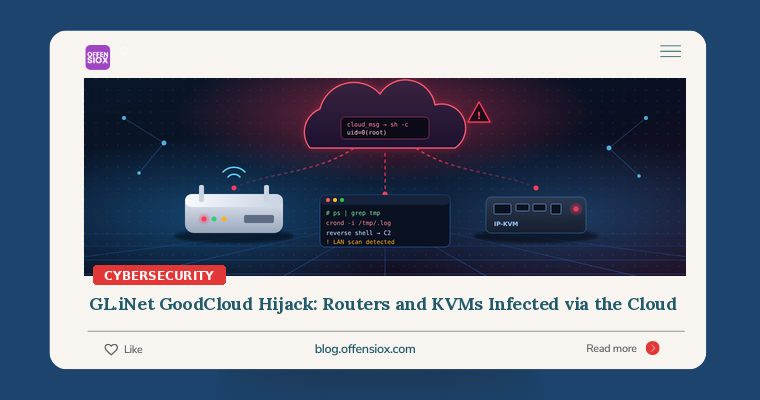
Most router compromises start with something exposed to the internet: an admin panel, a VPN port, a default password. This one started somewhere owners couldn’t see or patch. On 20 November 2026, GL.iNet said that an unauthorised party had exploited a vulnerability in its cloud remote management service to install malicious software on some of its routers and KVM devices. The service in question is GoodCloud, the portal many owners use to manage their devices from anywhere.
GL.iNet’s pocket-sized travel routers are popular with consultants, remote workers and small offices, including plenty in Pakistan and the Gulf. Its Comet IP-KVMs are used by IT teams to reach servers and PCs remotely, right down to the BIOS. If one of those KVMs is compromised, the attacker gets a keyboard, screen and network foothold next to whatever machine it’s plugged into.
GL.iNet has closed the cloud-side hole. But, in its own words, the fix does not remove malware from devices that were already infected. That part is on you.
TL;DR / key takeaways
- What: Attackers abused a flaw in GL.iNet’s GoodCloud remote management service to push malware to some GL.iNet routers and Comet KVMs. GL.iNet’s notice was issued 20 Nov 2026 and updated 23 Nov 2026.
- Status: The cloud flaw is fixed and the attack path is blocked, so new infections through this route should stop. Existing infections are not removed by the cloud fix.
- Fix: Install the new security firmware for your exact model (for example 4.11.1 for GL-MT3000/MT6000/MG1300, 4.8.4 for GL-AXT1800/AX1800, 1.10.3 for RM1/RM10 KVMs, 1.8.7 for RMQ1). GL.iNet recommends updating every device, even ones that look clean.
- Check first: Before you reboot or upgrade, look for the vendor’s indicator
crond -i /tmp/.log, and check for connections to the IOCs below. Researchers say the vendor check can miss infections.- Still unknown: how many devices were hit, when the attacks began, who is behind them, and whether PCs attached to infected KVMs were compromised. No CVE has been assigned yet.
What happened
The service that was abused
GoodCloud is GL.iNet’s cloud portal for managing routers and KVMs remotely. Devices with it enabled run a small client that keeps a connection open to the cloud and accepts management messages. That is convenient, because you can change settings, push firmware or reach a KVM from anywhere. It is also a perfect delivery channel if someone abuses it.
The vendor’s account
GL.iNet’s security notice is short on technical detail. It says the company “identified a vulnerability” in its cloud remote management services, that an unauthorised party exploited it to install malicious software on some routers and KVMs, and that the vulnerability has been fixed and the access used blocked. “The attack path has been blocked,” the notice says. It also says plainly that the cloud fix does not clean devices that were already infected. GL.iNet has not said how many devices were affected, when the attacks started or what the malware does, and it hasn’t explained how the cloud service itself was breached.
What researchers found
Most of the technical detail comes from RemoteToHome Consulting, a networking and security firm that manages a large fleet of GL.iNet routers. It published its analysis on GitHub. The Hacker News and SecurityWeek both reported on that analysis. The main claims are below. GL.iNet has not confirmed the root cause.
- Root cause (unconfirmed): A handler in the GoodCloud client takes two values from a cloud message and runs them as root through the shell without validation. That code belongs to AstroWarp, GL.iNet’s SD-WAN feature, but it runs whether or not AstroWarp is in use. According to The Hacker News, the unchecked code first appeared in a GL-MT3000 firmware release dated 5 December 2024. That date shows when the weakness arrived, not when attacks began.
- Router reverse shell: RemoteToHome verified a root-level reverse shell on a GL-AXT1800 running firmware 4.8.3 with GoodCloud enabled, and two other owners reported the same thing on the same model and firmware. On GL-MT6000 routers the same command ran, but the connection never completed. The shell leaves no files, and its traces disappear on reboot.
- Reconnaissance for KVM implants: On other managed routers, a one-off command searched for files linked to a KVM implant and sent the results to the same attacker address.
- KVM infection: The owner of an infected GL-RM1 reported that the device downloaded a script and two programs, looked up the look-alike domain
gl-inet[.]top, scanned the local network, and kept connecting to a host the owner suspects was a command-and-control server. - Older, separate backdoor: RemoteToHome found a different backdoor installed in batches on 49 routers it manages between September 2025 and May 2026. How it got there is unknown, and nothing yet links it to last week’s attacks. SecurityWeek reports that, of nearly 200 routers RemoteToHome checked, most appeared affected by either the new attack or the older backdoor.
- A second weakness: Researchers have reported a second, separate weakness in the cloud client to GL.iNet and are holding back details for now. GL.iNet has separately flagged a possible command-injection issue in the GoodCloud client, but hasn’t confirmed it was used in these attacks.
Timeline
| Date | Event |
|---|---|
| 5 Dec 2024 | Unvalidated command handler first appears in GL-MT3000 firmware (per RemoteToHome, via The Hacker News) |
| Sep 2025 to May 2026 | Separate, older backdoor installed in batches on 49 RemoteToHome-managed routers; infection route unknown |
| Thu 19 Nov 2026 | Owner of an infected GL-RM1 KVM reports it downloading files and scanning the LAN |
| Fri 20 Nov 2026 | GL.iNet identifies and fixes the cloud flaw, blocks the access and issues its security notice. A root reverse shell starts on a GL-AXT1800 that evening |
| 22 Nov 2026 | Researchers report a second cloud-client weakness to GL.iNet |
| 23 Nov 2026 | GL.iNet updates the notice: the security firmware removes the identified malware without a factory reset. SecurityWeek and The Hacker News publish detailed coverage |
Why a KVM compromise is worse than it sounds
A compromised travel router is bad. It sits in the middle of your traffic, holds Wi-Fi and VPN credentials, and gives the attacker a foothold on whatever network you plug it into, including hotel, office and home networks.
A compromised IP-KVM is worse. These devices exist to give someone full keyboard, video and mouse control of another machine, often a server or an admin workstation, with power control and virtual media. They usually sit on internal management networks, and nobody runs EDR on them. That’s why GL.iNet is still investigating whether computers connected to infected KVMs were also compromised. It’s also why an implant that scans the local network from a KVM should worry any IT team.
Am I affected?
You should assume you may be affected if all of these apply:
- You own a GL.iNet router or Comet KVM, and
- It was bound to GoodCloud (cloud remote management enabled), and
- It’s running firmware older than the fixed version for its model (table below).
GL.iNet also warns that a model missing from the list is not necessarily unaffected. Devices that never had GoodCloud enabled are much less likely to have been reached through this route. They still need the update, though, because of the separate, older backdoor RemoteToHome found.
Fixed firmware (minimum versions, from GL.iNet’s notice)
| Model(s) | Minimum fixed firmware |
|---|---|
| GL-MG1300, GL-MT3000, GL-MT6000 | 4.11.1 |
| GL-E5800 | 4.10.3 |
| GL-BE3600, GL-BE9300 | 4.10.2 |
| GL-BE14000 | 4.9.3 |
| GL-BE6500, GL-MT3600BE, GL-MT5000 | 4.9.1 |
| GL-BE10000 | 4.8.7 |
| GL-AX1800, GL-AXT1800, GL-SFT1200, GL-X3000, GL-XE3000 | 4.8.4 |
| GL-MT2500 / GL-MT2500A, GL-X2000 | 4.7.14 |
| KVM: RM1, RM1V2, RM10, RM10RC, RM1PE, RM4PE | 1.10.3 |
| KVM: RMQ1 | 1.8.7 |
Only install the stable firmware for your exact model. If you installed one of the earlier security betas, GL.iNet says to move to the latest stable build.
How to check a device (before you reboot it)
The researchers’ main warning is about order. Check before you reboot or upgrade. The reverse shell they found lives only in memory, so a reboot wipes the evidence.
1. The vendor’s indicator
GL.iNet’s indicator is a running process whose details contain exactly crond -i /tmp/.log. A line that only shows your own grep command doesn’t count.
- Router, web UI: System → Advanced Settings → sign in to LuCI → Status → Processes, then search for
tmp/.log. - Router, SSH:
ps | grep tmp
- KVM: in the KVM web interface, open Toolbox → Terminal → Access and run the command on the KVM itself, not on the attached computer:
~|#| RMQ1
ps ~|-|a | grep tmp
~|#| Other Comet KVM models
ps ~|-|aux | grep tmp
According to The Hacker News, this marker was absent on the router with the verified reverse shell. A clean result doesn’t prove the device is clean, and GL.iNet says the same.
2. Extra checks from the research
These are read-only checks you can run over SSH on the router or KVM terminal:
~|#| netstat may have been swapped out. On these devices it should be a busybox symlink.
ls ~|-|l /bin/netstat

~|#| Look for live connections to the published attacker infrastructure
~|#| (only trust this output once the line above shows netstat ~|-|> busybox).
netstat ~|-|tnp 2>/dev/null | grep ~|-|E '170\.39\.226\.219|66\.245\.219\.252|65\.20\.71\.131'

~|#| Unexpected scripts that run at boot (pay particular attention on KVMs)
ls ~|-|la /etc/rc.local /etc/init.d/ 2>/dev/null
RemoteToHome’s KVM firmware analysis found something worth knowing here. When an RM1 was upgraded to the earlier 1.10.2 build with settings kept, the password file, SSH keys and a user directory holding scripts that run at every boot were carried over. Nobody has yet tested whether a planted script survives the newer upgrade.
3. Hunt from the network side
Your firewall, proxy or DNS logs may show what the device can’t. Search for the published indicators across the period your GL.iNet devices have been in use:
| Type | Indicator | Context (from RemoteToHome / device owner, via The Hacker News) |
|---|---|---|
| IP | 170.39.226[.]219 |
Reverse-shell destination |
| IP | 66.245.219[.]252 |
Source of the script and programs downloaded by an infected RM1 |
| IP | 65.20.71[.]131 |
Suspected command channel |
| Domain | gl-inet[.]top |
Look-alike domain queried by an infected RM1 |
Example queries (adjust table and field names to your environment):
// Microsoft Sentinel / Defender: firewall and DNS logs
let iocIPs ~|=| dynamic(["170.39.226.219","66.245.219.252","65.20.71.131"]);
union isfuzzy~|=|true
  (CommonSecurityLog | where DestinationIP in (iocIPs) or SourceIP in (iocIPs)),
  (DeviceNetworkEvents | where RemoteIP in (iocIPs)),
  (DnsEvents | where Name has "gl~|-|inet.top")
| project TimeGenerated, Type, SourceIP, DestinationIP, RemoteIP, Name, DeviceName
index~|=|network (dest_ip IN ("170.39.226.219","66.245.219.252","65.20.71.131")
  OR src_ip IN ("170.39.226.219","66.245.219.252","65.20.71.131")
  OR query~|=|"*gl~|-|inet.top*")
| stats count earliest(_time) AS first_seen latest(_time) AS last_seen BY src_ip dest_ip query
Also watch for any internal port-scanning that comes from a KVM’s management IP. That is exactly what the infected RM1 owner saw, and a KVM has no normal reason to do it.
What to do: prioritised checklist
Immediately (today)
- Inventory every GL.iNet router and Comet KVM, including the travel routers staff carry. Note the model, firmware and whether GoodCloud is enabled.
- Run the checks above before rebooting. Capture
psoutput and screenshots for any device that matches. - Install the stable security firmware for each exact model. GL.iNet says it removes the identified malware and keeps your settings.
- For any device that matched an indicator, go further than the vendor’s minimum. The researchers advise reinstalling firmware without keeping settings, then reconfiguring from scratch. The vendor’s guidance (keep settings, no reset) and the researchers’ guidance differ, so for confirmed infections we side with the more cautious option.
- Block the IOCs at your perimeter firewall and DNS resolver.
This week
- Rotate secrets on anything that was or might have been compromised: Wi-Fi and admin passwords, VPN keys (WireGuard/OpenVPN profiles), GoodCloud account credentials and SSH keys.
- Check computers attached to KVMs. Look for unfamiliar programs, browser extensions, user accounts, startup items or scheduled tasks, unexpected settings changes and odd network activity, then run a full scan with up-to-date security software. For servers, prefer your EDR and a proper triage.
- Decide whether you need GoodCloud at all. Switching it off stops the cloud client but does not clean an infected device. Before you disable it, make sure you have another secure way in, such as a VPN or on-site access.
- Watch your inbox. GL.iNet says it will email affected customers at the address on their GoodCloud account. Don’t wait for that email, and don’t click firmware links in it. Go to GL.iNet’s site directly, because a look-alike domain (
gl-inet[.]top) is already part of this campaign.
Longer term
- Put KVMs on an isolated management VLAN with no internet egress except what you explicitly allow. Alert on any outbound connection you didn’t expect.
- Treat vendor cloud management as a privileged access path. Put it in your threat model and third-party risk register, the same way you’d treat an RMM tool.
- Issue company-managed travel routers with a known configuration and an update policy, rather than letting staff bring their own.
- Log network devices centrally. Most organisations that “can’t tell” whether they were hit simply have no logs from these devices.
OffensioX perspective
This incident fits a pattern we have written about a lot this month: remote management tooling is now one of the most valuable targets there is. Whether it’s an RMM platform, a remote support tool or a vendor’s device cloud, one weak link gives an attacker a trusted channel straight into many customer networks, and that channel usually runs as root. If RemoteToHome’s analysis holds up, the bug itself is old and simple: values from a cloud message passed to a root shell without validation. What made it dangerous was the trust the device placed in its own vendor’s cloud.
There’s also a quieter lesson. “Small” devices such as travel routers and IP-KVMs sit outside most security programmes. Nobody installs EDR on them, logs from them rarely reach a SIEM, and they’re often bought on a team credit card. Yet a KVM gives anyone who controls it physical-equivalent access to a server. If your asset inventory doesn’t list these devices, an attacker could own them for a year without you knowing. RemoteToHome’s evidence of a separate backdoor going back to September 2025 suggests that may have happened here.
If you’d like help finding the unmanaged remote-access paths into your environment, from IP-KVMs and travel routers to vendor clouds and RMM agents, OffensioX offers penetration testing and security assessments that cover them.
References
- GL.iNet: Security Notice 2026-11-20 (updated 23 Nov 2026)
- The Hacker News: Hackers Exploited GL.iNet Cloud Flaw to Install Malware on Routers and KVM Devices (23 Nov 2026)
- SecurityWeek: GL.iNet GoodCloud Vulnerability Exploited for Malware Delivery (23 Nov 2026)
- BleepingComputer: Hackers exploit GL.iNet cloud flaw to infect routers, KVM devices
- SC Media: GL.iNet confirms cloud vulnerability led to router and KVM malware infections
- GBHackers: Hackers Exploit GL.iNet Cloud Security Flaw to Infect Routers and KVM Devices